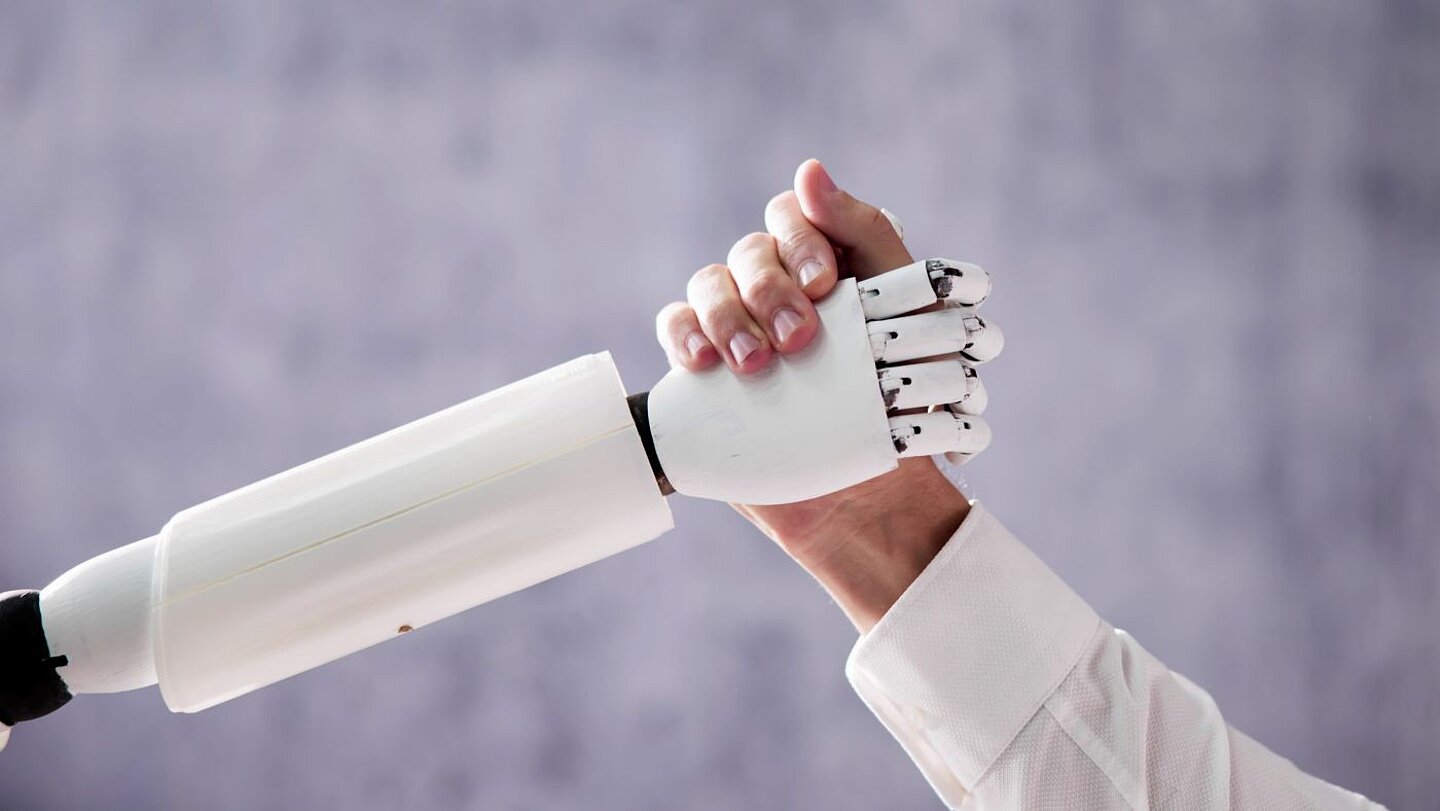
Generative AI is just a tool. Nothing more, nothing less.
Put this tool in the hands of a professional who genuinely understands their workflow, knows where the risks sit, and has a decent sense of where AI can genuinely help (and where it absolutely would not), and the final results can feel a bit like black magic. It can also drag you past the “writer’s block” blank-page problem in seconds.
It can turn a sprawling engineering brain-dump into something that at least resembles a logical structure. It can also easily chew through the sort of repetitive admin that makes you question your life choices (hopefully that’s not just me).
But hand that same toolbox to somebody with no guardrails, no ownership, and no real reason for using it beyond “everyone else seems to be doing it”, and the result is usually a polished-looking mess. The time you thought you were saving gets burned on clean-up, fact-checking, rework, and damage limitation. (Which, sadly, is a pattern I’ve seen far too often online.)
A couple of years ago, the conversation was mostly about what AI could do (sort of). That was the novelty phase. The “look at this!” phase. The phase where people were busy throwing every imaginable task at a model just to see what came back.
We’re well past that phase now.
The more useful question is no longer: “Can I use AI for this?” (because you now know you most likely can).
It’s now: “Should I?”
And, for technical communicators, that distinction matters a lot.
After three decades of manually grinding out technical content – especially on software guides and tutorials – and investing the last couple of years embedding various online and offline AI models into my own CMS and workflows, I’ve seen both sides of this develop. I’ve also noticed where using AI properly can save you a serious amount of time.
I’ve also seen where it falls flat on its face, wasting my entire afternoon, leaving behind a bigger mess than the one I had originally started with. (Which is always a humbling experience, isn’t it?)
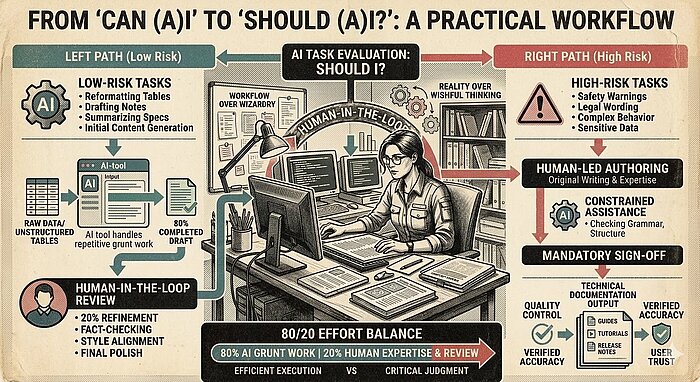
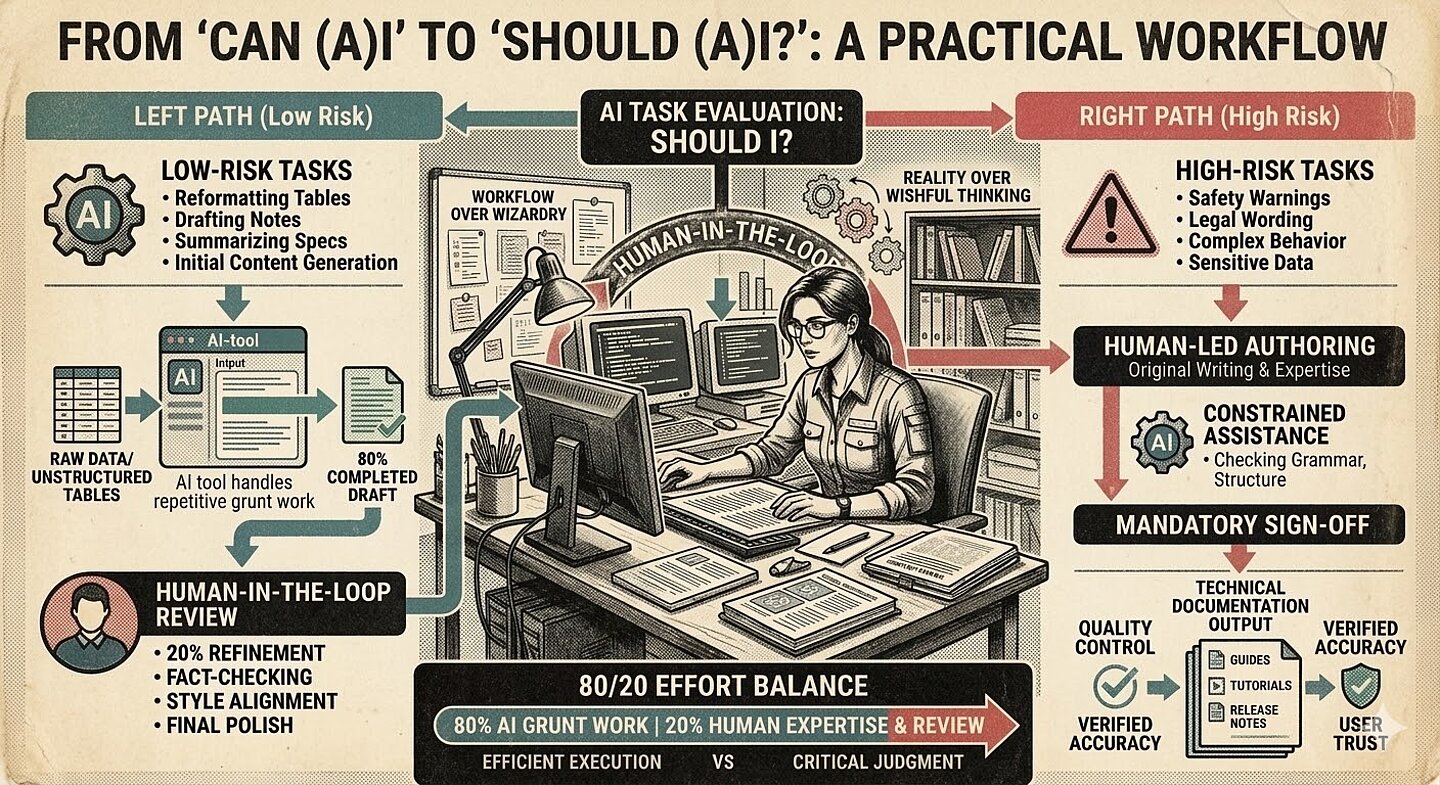
Image 1: Not long ago, AI image models couldn’t handle text at all. Now? They can create complex diagrams – in different styles. Nano Banana 2 was used for this image.
Where AI genuinely earns its keep
In day-to-day practice, generative AI is an 80/20 tool.
It can often get you 80% of the way to something useful for maybe 20% of the effort. That doesn’t mean the last 20% is trivial – it often isn’t – but it does mean the first painful push from nothing to something can happen dramatically faster than it used to. That alone has value.
It’s the best cure I’ve found for a blank cursor. It’s very good at taking a rough thought-dump, messy notes, or raw developer input and restructuring it into something with shape, giving you something more substantial to work with.
It’s also extremely useful in repeatable patterns: idea generation, outlining, summarizing specs and tickets, drafting release notes, creating images, rough rewrites, repurposing content for other formats, even cleaning up voice-over audio, or helping with translation work. Not because it’s magically “better” than the human doing the task – but because it’s very good at eating through the repetitive grind that slows us down.
And that brings me to one of the clearest examples of “Can AI?” meeting “Should AI?”.
I had a plain text document containing hundreds of unstructured tables that needed converting into properly formatted and encoded tables for a software guide. Doing that manually would have taken days of soul-destroying, repetitive work – and that’s even with shortcuts. It was exactly the kind of task that drains your energy without adding much value beyond practicing patience and stamina.
The real breakthrough there wasn’t simply speed. It was the arrival of a genuinely agentic (i.e., autonomous) model.
In this case, I could hand the model the problem, give it a clearly defined skill/task file, and let it work out how to get the job done. It could follow the instructions, use the tools it needed (with confirmation from me to access them safely), create the files, save them, and carry on autonomously.
In other words, I didn’t have to sit there babysitting it line by line like an anxious project manager hovering over somebody’s shoulder. I could leave it to crack on with it while I got on with other work that was far more valuable than manually wrestling hundreds of tables into shape (although, using agentic AI models comes with its own bundle of caveats and gotchas – especially around system access).
Ultimately, over 300 separate tables were created, completed, and saved in just under seven minutes. That is where the value sits for me.
Not in replacing judgment. Not in pretending quality control is no longer necessary. Not in AI cosplay, where people act as if prompting is some kind of mystical art form. The value is in offloading the repetitive, mind-numbing grunt work so that the human professional can spend more time on the parts that actually require their invaluable expertise: checking, refining, deciding, and making sure the final output is genuinely useful.
The real shift: workflow over wizardry
One of the biggest mistakes I see is treating AI as if it were some all-knowing super-assistant that should be handed a giant task and expected to “just deal with it”.
That’s usually where things start going sideways.
What has worked much better for me is thinking in terms of toolchains and roles. Break the problem down. Work out which parts are predictable, which parts need judgment, which parts can be automated safely, and which parts absolutely shouldn’t be. Some steps suit a particular AI model. Some suit deterministic scripts. Some need a combination of both. Some are still – far – better done entirely by a human.
That’s also where Skill Files become genuinely useful.
A job-defining skill
Whatever label people prefer – prompt templates, role definitions, style guides, reusable templates – the principle remains the same: If you can clearly describe the role, the rules, the boundaries, the examples, and the expected output, you give the model a much better chance of doing something useful without constant hand-holding.
This is a far more sensible approach than expecting one giant prompt to do everything well (output quality starts to drop off a cliff long before the context window of an AI model is reached).
And, just as importantly, this isn’t some alien new discipline either. It’s just another version of what we as technical communicators have always done: breaking messy work into manageable steps, defining structure, documenting processes, and trying to make inconsistent inputs behave themselves. (Which, if we’re being honest, is half the job most weeks anyway.)
Once you learn how to create a series of these skill/task files (and chain them alongside well-tested agentic AI models), then you can automate significantly more of the mundane, predictable tasks than ever before. Personally, I see that as a verygood thing.
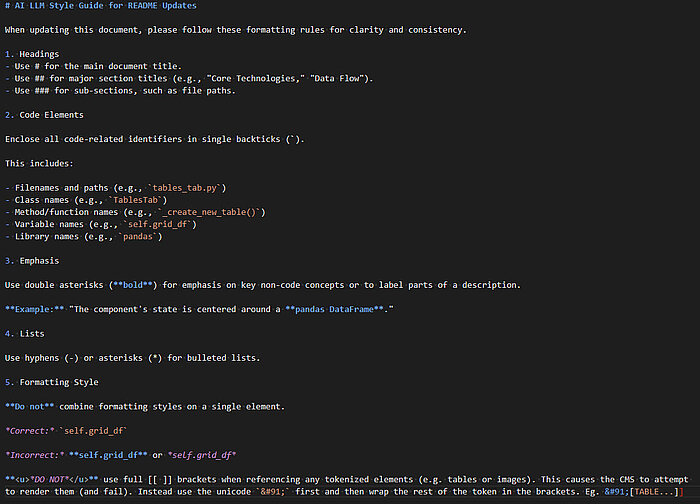
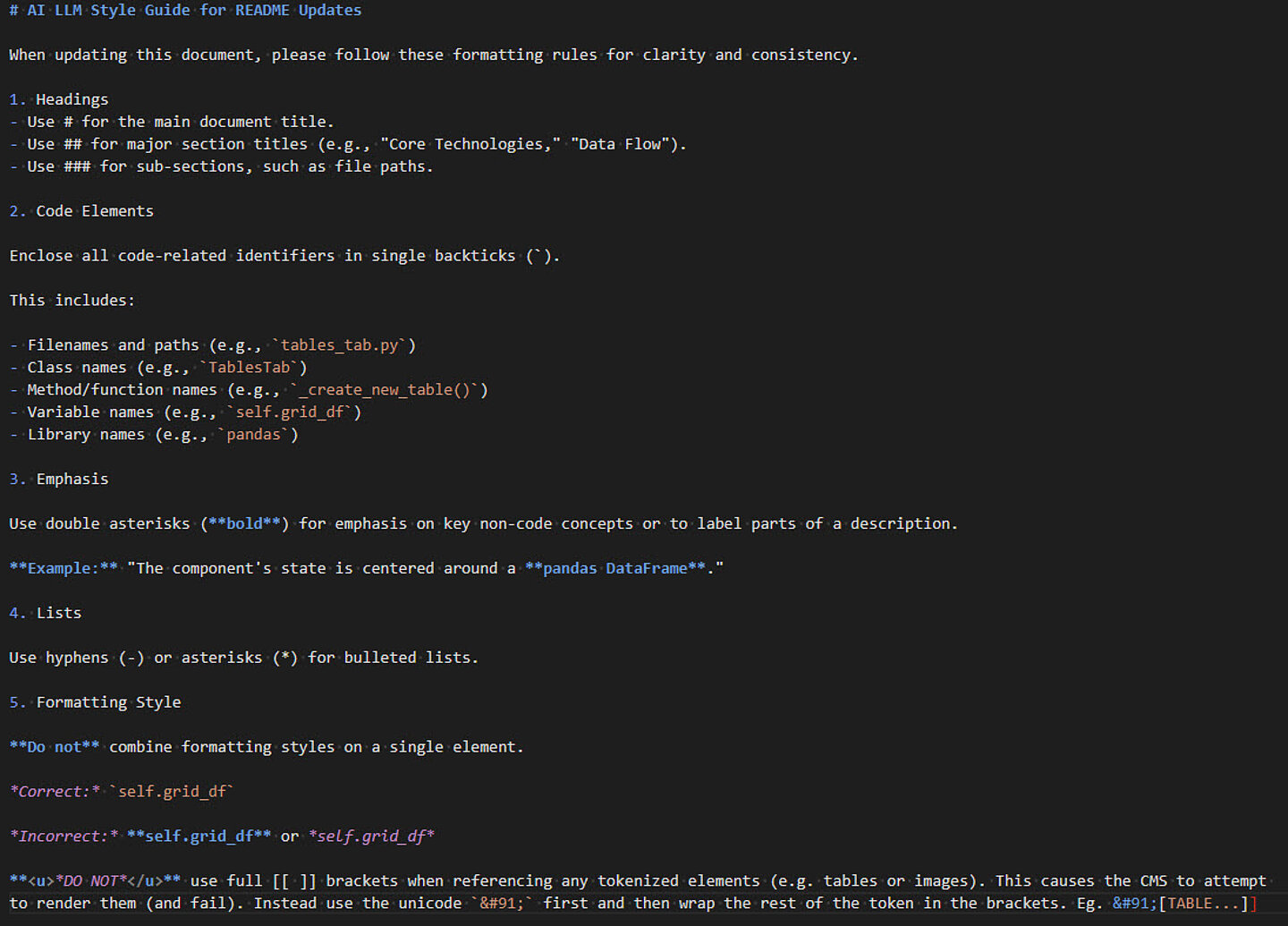
Image 2: An example of a very simple style guide for my own tool’s AI-friendly documentation.
The "Should I?" test
So yes – in most cases – AI can be used in documentation.
But whether it should be used depends solely on the task in front of you. This is the approach I take to make sure I even need to use AI in the first place:
For me, the first filter is risk.
Low-risk tasks are where AI often shines: internal drafts, rough outlines, release notes, repetitive formatting work, content transformation, and other jobs where the consequences of an error are measured mainly in editing time. If the model gets part of it wrong, you lose a bit of time. Annoying, yes. Catastrophic, no.
High-risk work is another matter entirely. Safety warnings. Legal wording. Complex product behavior. Anything where a polished mistake could mislead the user, damage trust, or create real-world problems. In those cases, AI should not be treated as an autonomous author. At most, it should be a constrained assistant – and even then, under tight review.
The second filter is data.
Before anything goes anywhere near a model, the obvious question is: Where is this data going? If you are dealing with confidential product details, proprietary code, unpublished features, or sensitive customer information, that question matters far more than how clever the model seems in a demo. Sometimes the answer is an approved internal or local setup. Sometimes the answer is “not this tool.” Sometimes the answer is simply “no”.
The third filter is accountability.
If AI writes 80% of something, that does not reduce your professional responsibility to the remaining 20%. If anything, it increases the need for proper sign-off because the final output can look deceptively finished long before it is genuinely trustworthy.
If a software guide misses key functionality or explains something inaccurately, the end user does not care whether the problem came from a rushed human or a confident machine. The guide has still failed them.
That’s why I see the human-in-the-loop approach as non-negotiable.
Not as a nice idea. Not as a “best practice”. As a requirement.
Where it all goes wrong
For all the promise, the failure modes are becoming pretty familiar.
The first is what I think of as the “context-window exceeded” trainwreck.
Back in 2023, I tried translating a full 300-page PDF in one go. That was a bad idea. The output was a mixture of correct text and an unusable glyph soup because I’d pushed too much through in one pass and – unknowingly at the time – sailed right past the model’s context-window limits (at high speed and with gusto).
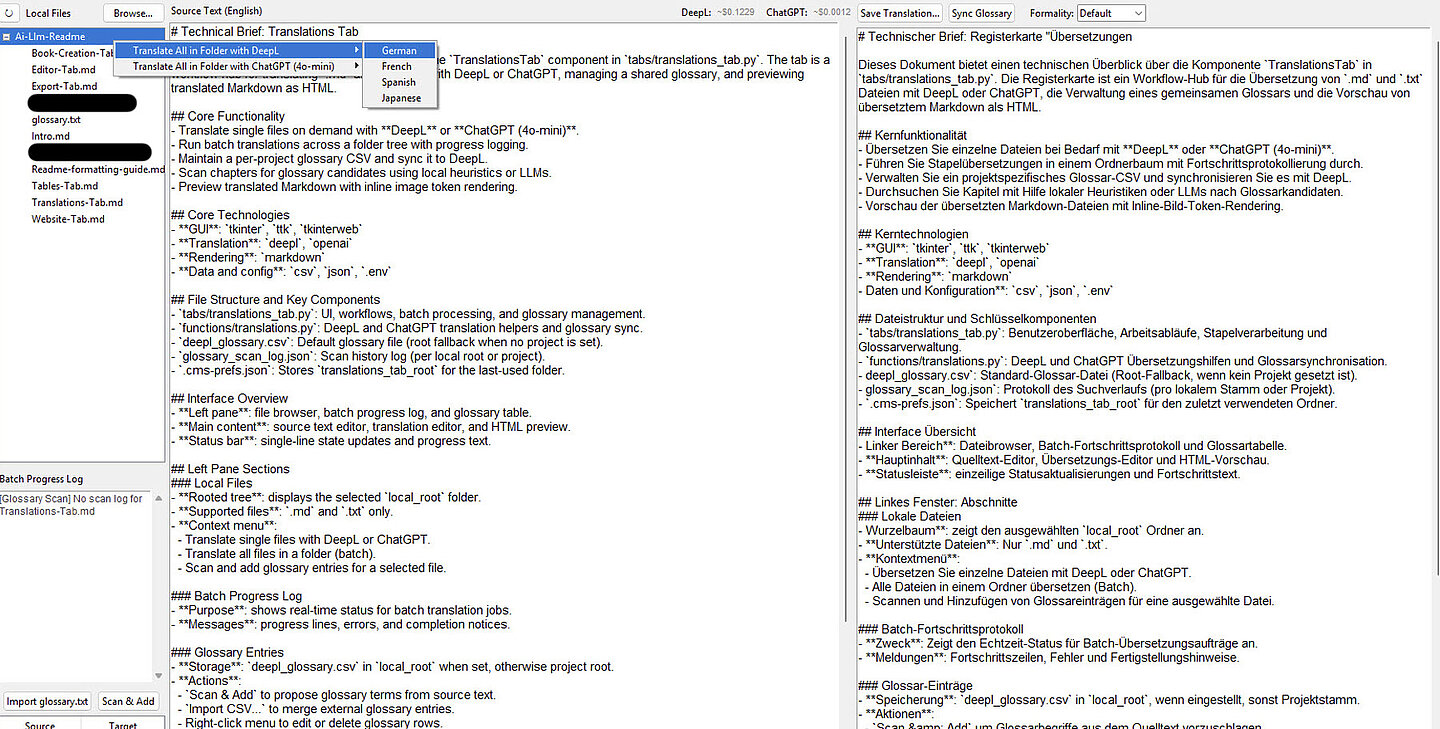
The fix wasn’t some grand revelation either. It was simply breaking the book down into its distinct chapters and injecting a predefined glossary file, so the model stopped getting “creative” with terms that needed to stay consistent. Now, it takes me around 60 seconds per chapter to translate a full book from English into another language (at around 95% accuracy). Sometimes the answer really is just: Stop trying to be clever and structure the task properly.
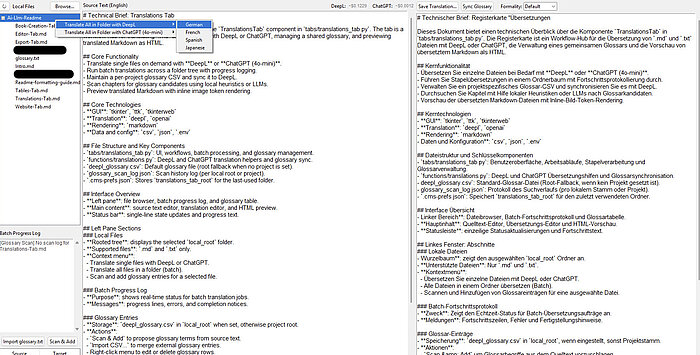
Image 3: Here is an example of chaining together AI model(s), scripts, and functions into a two-click book translation process. For those of you with eagle eyes, the translation won’t be 100% perfect, but that chapter took less than two seconds to translate into German.
The second problem is style drift.
Models are surprisingly consistent at being inconsistent. Different people prompt them differently. Different models lean in different directions. One section becomes too chatty, another too stiff, a third starts using slightly different terms for the same concept, and before long, your documentation feels like it was written by several people who actively dislike each other.
In long-form documentation, that patchwork effect is awful. The fix, again, is procedural: stronger guidance, clearer style constraints, and reusable guardrails.
The third problem is the one that worries me most: good-looking but wrong.
This is where AI can be particularly dangerous in technical content because the output often sounds authoritative, polished, and complete. It will confidently describe features that don’t exist, invent neat explanations for gaps in the source material, and generally hand you something that looks usable right up until an expert reads it properly. Then you realize the time “saved” has simply been converted into review debt. You’re no longer editing. You’re investigating.
And if you don’t budget for that review time, then no, you haven’t really saved time at all.
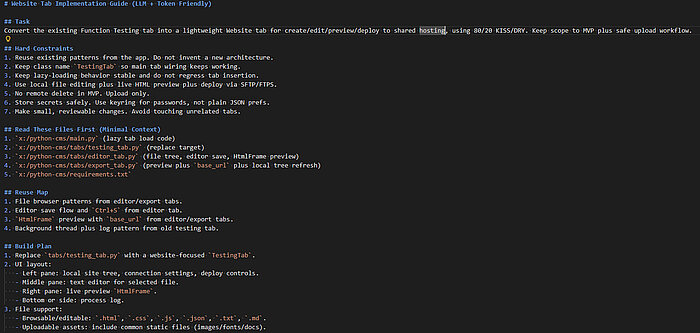
Image 4: Use an AI model to break down a large task into smaller ones, so you don’t waste tokens on one huge prompt. Perfect for quickly prototyping internal tools/new features.
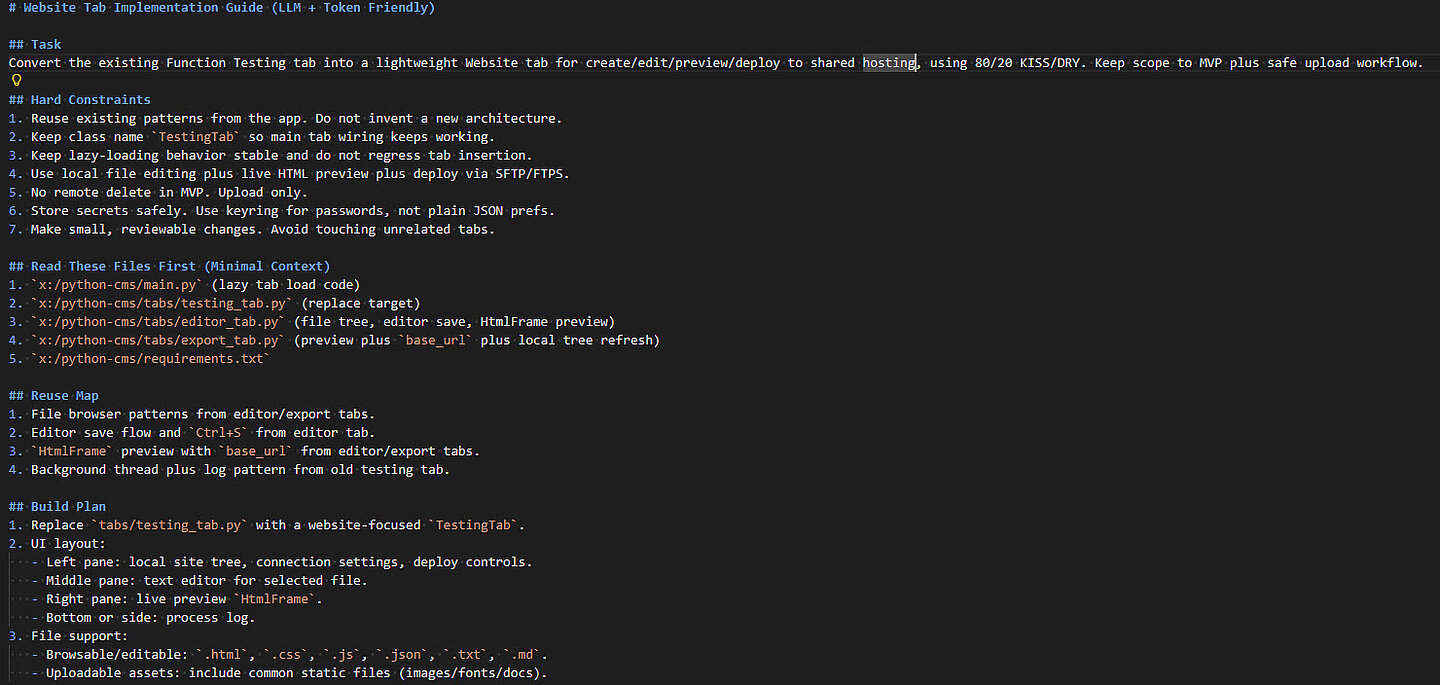
Why technical communicators are still the right people
There’s an obvious anxiety hanging over all of this: Will technical communicators be replaced?
In short: I don’t believe so.
However, what I do believe is that the role is shifting – and it’s shifting fast.
The people who will struggle are the ones who either assume that the old workflow can stay exactly as it was, or those who think that AI is useless and can’t do X/Y/Z (yet).
The people who will do well are the ones who recognize that the core strengths of technical communication are still exactly the strengths needed here: making sense of incomplete inputs, spotting inconsistencies, structuring messy information, building reliable workflows, and translating complexity into something users can actually use.
They’ll also be the ones who accept that this is a rapidly evolving technology and that what isn’t possible today, is – more than likely – going to be possible in the near future. And, rather than fight it, actively learn to understand its foibles and upskill themselves accordingly.
In other words, this isn’t really about becoming some sort of “prompt wizard.” It’s about becoming even better at designing workflows, refining toolchains, and knowing where automation stops and professional judgment begins.
Which, quite frankly, is a much more useful skill anyway.
Start small. Measure honestly. Don’t kid yourself.
If you’re asking whether you should start using AI in documentation, my advice is simple: Start small and experiment.
Pick a low-risk task with clear boundaries. Internal release notes are a good example. Reformatting repetitive source content is another. Summarizing messy notes into a first-pass structure also works well.
The point is not to automate everything on day one. The point is to test where the workflow holds up, where it breaks, and whether the rework cost is actually worth it.
And then measure the result honestly:
- Did it really save time?
- How much effort went into fixing it?
- Was the source material clean enough?
- Were the instructions clear enough?
- Did the output meet your standard – or did it merely arrive at “looks plausible” faster?
Those questions matter far more than whether the demo looked impressive. (Demos are very good at flattering weak workflows.)
Reality over wishful thinking
This is an exciting time. It’s also a slightly chaotic one.
Generative AI can absolutely help technical communicators. I’ve seen it remove huge amounts of repetitive effort off my plate. I’ve seen it accelerate drafting, restructuring, and content transformation. I’ve seen autonomous workflows take on the sort of work that used to pin you to a chair for hours (or days), while your brain quietly tried to escape the monotony through your ears.
But, I’ve also seen these tools fail in predictable ways, and I’ve seen people overestimate what “faster” really means once quality control enters the room.
So, I keep coming back to the same question:
Not “Can I?”
But “Should I?”
Technical communication is still built on clarity, trust, and respect for the end user. AI doesn’t change that foundation. It just changes the speed, the tooling, and the amount of discipline needed to keep the quality from sliding off a cliff.
Used carefully, it can be a seriously useful tool in the toolbox. Used carelessly however, it becomes another source of frustration and pain.
So, the next time a shiny new AI feature lands in front of you, don’t just ask whether it’s possible to use it. Ask the harder question first: Should this task be given to AI at all? And if the answer is yes, what guardrails, review process, and ownership need to be in place before it earns that right?