
While the documentation team slept, a piece of software read every pull request merged that week (a proposed batch of code changes), drafted release notes for each user-facing change, checked the draft against the team's style guide, and opened a pull request of its own for a human to review in the morning. No one prompted it sentence by sentence or pasted anything into a chat window.
The AI model supplied the labor, but the documentation defined the job: a file describing the project's rules, a definition of the release notes’ role, and a step-by-step procedure for turning merged code changes into reader-facing notes. Every piece was written in plain language, reviewed, and versioned like any other document.
That's a documentation agent.
If the word "agent" has felt vague, or vaguely threatening, my goal in this first part of an article series is to make it concrete. The good news: What matters most in building an AI agent are things technical communicators already know how to build.
What "agent" actually means
An AI agent is a language model plus three additions: tools, a goal, and a loop. The tools allow the agent to act instead of just producing text. With these tools it can read files, run commands, call APIs (the interfaces programs use to talk to each other), and make changes. The goal is set by you, e.g., "Draft release notes for this week's merges." The loop is what makes it agentic: Instead of answering once and stopping, the agent works step by step, reasoning about the next action, using a tool, observing the result, and repeating the process until the task is done – or the agent gets stuck.
Watch an AI agent at work, and the pattern will look familiar to any experienced tech writer. Asked to update the reference page for a changed API endpoint, an agent might read the project's rules, the current page, and the technical specification, notice a parameter the page doesn't mention, draft the update, run the team's style checker, fix the violation it flags, and open a change request describing what has changed. Each step informs the next, and no human touched the keyboard in between.
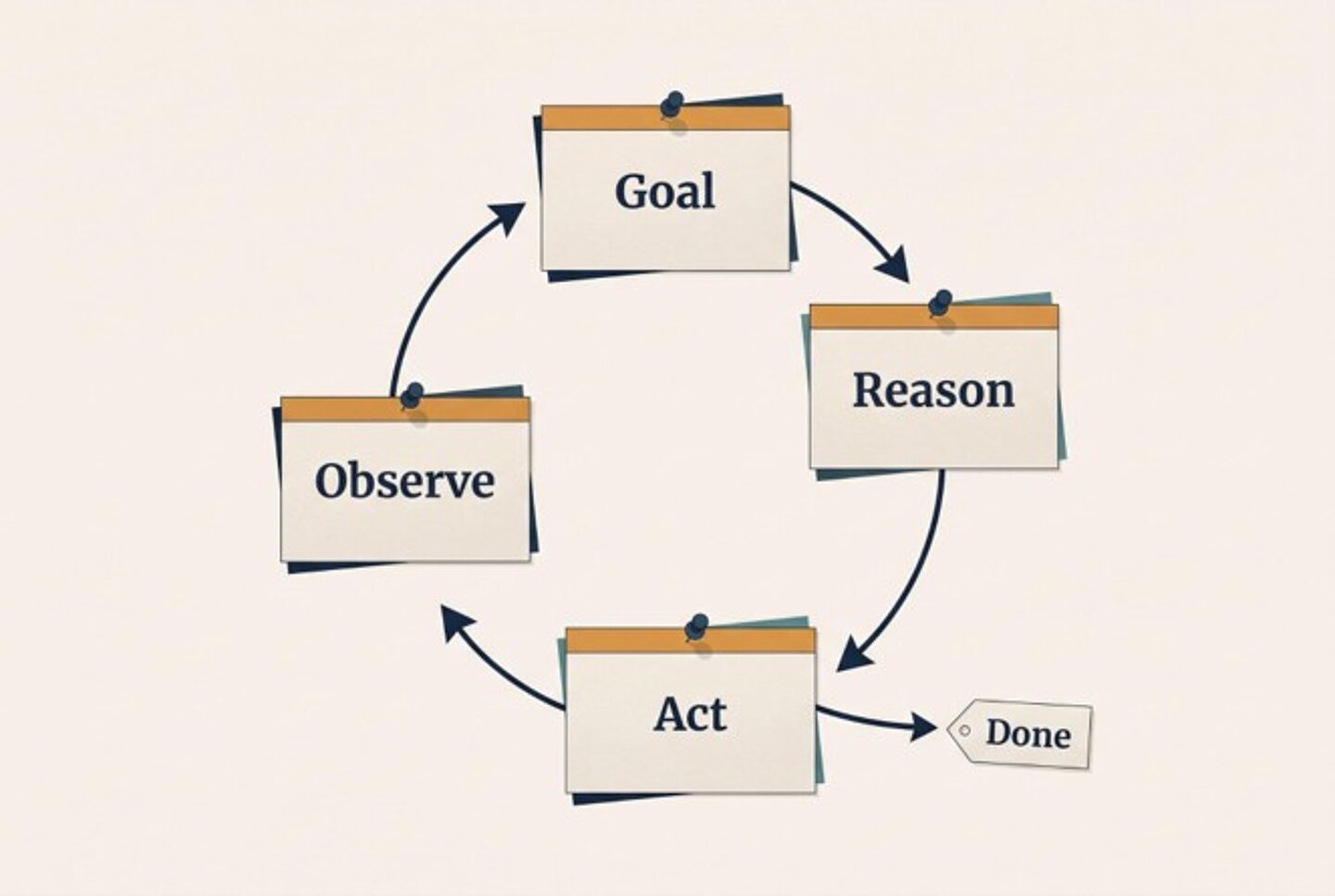
And, that is the practical difference from a chatbot: With a chatbot, you supervise every turn, feeding it context and correcting its course message by message. With an agent, you define the work up front and review the outcome at the end. The quality of the outcome depends heavily on how well the work was defined at the start. But defining work well has always been the key to any good documentation. That's why documentation sits at the center of agentic work.
Behavior is authored, not configured
One thing people struggle to understand is that the software that runs the agentic loop is generic and not built for one specific agent. It's an AI coding assistant working in agent mode, and your team likely already has access to one or more. What turns it into your documentation agent is the set of documents you write to define its behavior.
Think of a restaurant kitchen. Diners see one document: the menu. The kitchen runs on an entirely different set of documents, including recipes, station assignments, prep lists, and plating standards. Those exist for the staff, and they spell out who does what, in what order, and to what standard. Take them away, and every dish depends on whoever happens to be cooking that night.
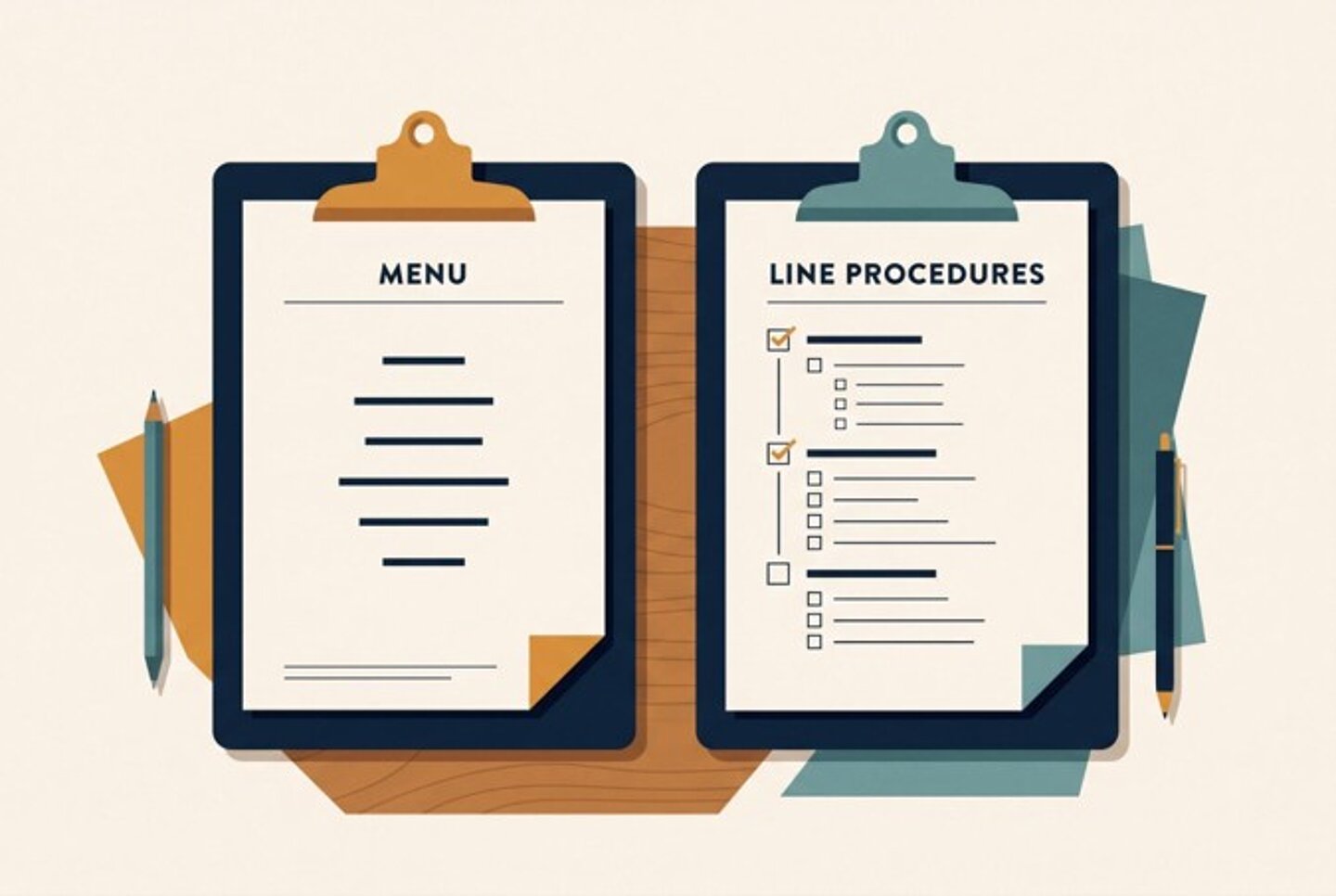
Documentation agents run on the same kind of artifacts. Your published docs are the menu. In the background sits the workflow documentation – the files that define how the documentation work itself gets done.
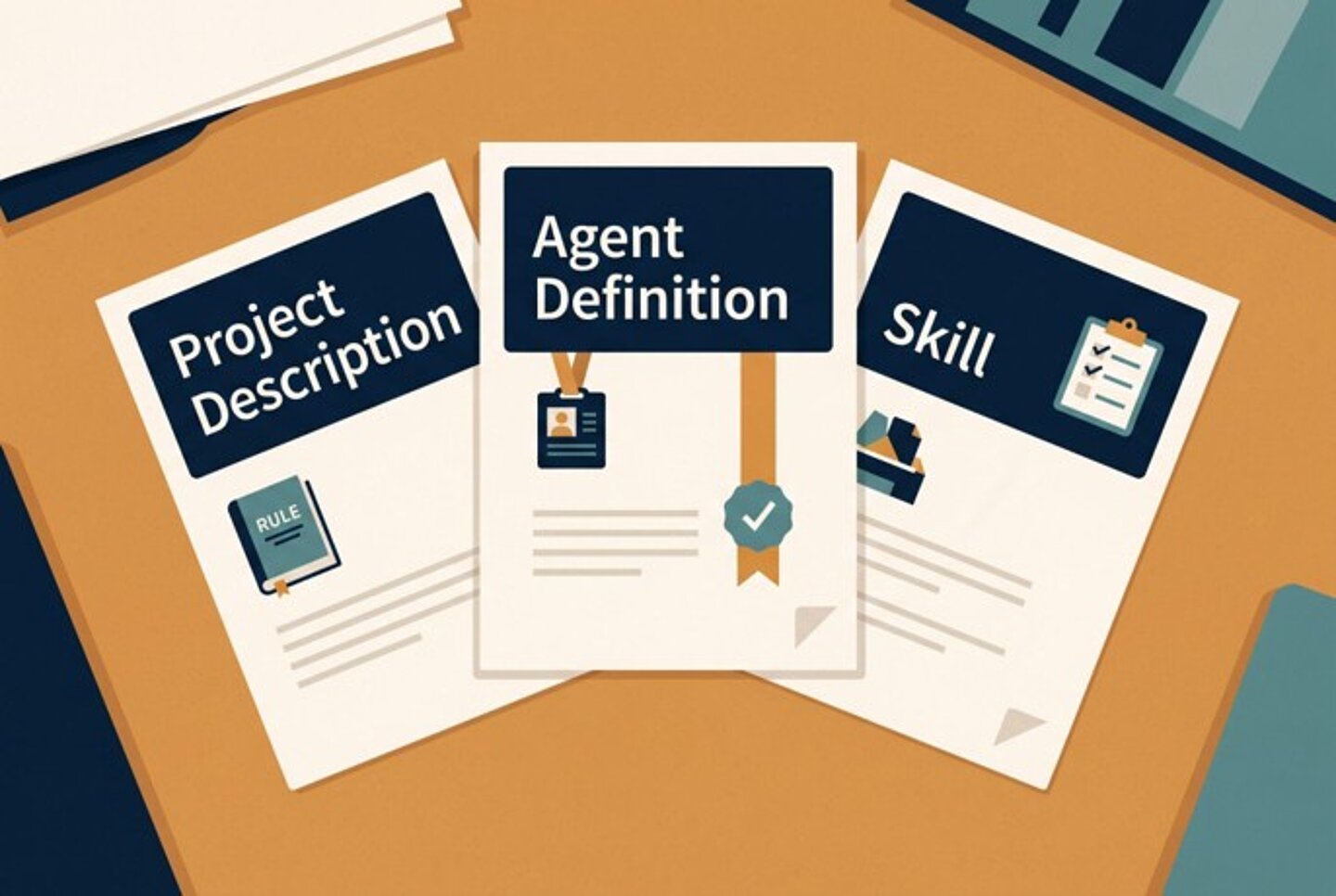
Workflow documentation comes in five types:
- Project description
- Agent definition
- Skills
- Agent orchestration
- Evaluation
This article focuses on the first three types of workflow documentation that form the anatomy of a single working agent. The next article in this series will cover the remaining two.
Project descriptions: Institutional knowledge, written down
Every team runs on rules that nobody ever put to paper. Friday releases are frowned upon. Jana needs to approve anything touching authentication. Code samples in the developer guide must be tested before publication, while snippets in the knowledge base only need review. These rules live in people's heads and in chat threads nobody will read again.
Human colleagues pick them up over time, through hallway interactions and repetition. An agent can't do that. It begins every task with no institutional memory at all. For an agent, a rule exists only if a document contains it.
A project description fills the gap here. It does for workflow what a README does for setup: It gathers the project’s rules, the commands that matter, and the pointers to everything else. In the agent ecosystem, there’s a shared convention for this – the AGENTS.md file – with tool‑specific variations such as CLAUDE.md or GEMINI.md. Whatever the file name, the principle is the same: to have one file, loaded into every task, carrying the rules that always apply. If your team works in a CMS rather than a file-based repository, the practice still holds, because those rules need one findable home that both people and tools can read and rely on.
Part of a project description might read "Human review is required for any change to API reference pages" or "After three revision cycles without approval, stop and hand off to a human." Writing such rules down pays a dividend that's easy to miss because every rule you write becomes a rule your agent can later check. A rule in someone's head can only be followed, but a rule in a document can be enforced.
Remember that brevity beats completeness here. Because a project description feeds into every task the agent performs, a focused page of rules serves the agent better than an exhaustive manual. Link to the style guide rather than pasting it in. Thankfully, that's an editing instinct technical communicators already possess.
Agent definitions: Job descriptions for software
Suppose you hired someone without a job description. Your new employee would have no defined responsibilities, no quality expectations, and no sense of when to ask for help. Onboarding would be chaotic, and you'd have no fair basis for judging their work. Yet, many teams deploy agents with instructions as vague as "Write some docs, and make them good."
An agent definition (sometimes called a subagent or a custom agent) is equivalent to a job description. A good definition covers five aspects:
Identity: What the role is
Capabilities: What the agent does
Constraints: What the agent must never do
Quality criteria: What acceptable output looks like
Escalation rules: When to stop and ask a human
Here's a compact example for an editing role:
Role: Technical editor for API documentation
Does: Reviews drafts for style, clarity, and terminology
Never: Modifies code samples; rewrites content instead of flagging it
Quality bar: Every flagged issue cites the style guide rule it violates
Escalate: When a draft contradicts the API specification
Notice what precision gets you. "Make the docs good" can't be validated. "Never modify code samples" can be checked by comparing input and output. If a constraint is too vague, the agent can’t reliably verify it. Sharpening the specificity and intent allows your agent to produce results that are much closer to your expectations.
The definition also covers capability in a literal sense by defining which tools the agent is granted. An editor that is permitted to read files but not modify them can flag issues, but it can never quietly rewrite the code sample it was asked to check. Granting each role only the access its job requires follows the same least-privilege principle that IT teams apply to people – and this principle belongs in the job description.
Skills: Standard operating procedures
If the project description sets the rules and the agent definition assigns the role, a skill (defined by the Agent Skills standard) documents the task itself. It's a standard operating procedure written for a reader who can't guess – documenting the conditions before starting, defining what steps to take and what the output must contain. A new colleague can follow this procedure, and so can an agent.
A skill for creating code samples, for instance, might specify entry criteria ("target audience and programming language are defined"), process steps ("write minimal working code; add comments that explain why, not what; test that the code runs"), and an output specification ("no hardcoded credentials; expected output documented").
Good skills also state what they don't cover. "Code sample" could mean an SDK example, a database migration script, or an infrastructure configuration file, and each calls for different conventions. A line such as "applies to application code demonstrating API usage; does not cover infrastructure or database scripts" tells the agent when the skill applies and when to use a different skill or ask for help.
Skills are also where the craft of agentic documentation gets interesting, because the hardest material to capture is the judgment experienced writers perform without noticing. When you write API docs by hand, you compare related endpoints in your head and make sure each page explains what makes it distinct. Nobody taught you this. It's just how you work. A skill that only lists the steps you apply consciously will miss the judgment you perform unconsciously – and the agent following it will faithfully reproduce the gap. Identifying those gaps and writing the missing skills is true technical communication work.
Who benefits and how
For a team, the payoff doubles unexpectedly, because documentation precise enough for an AI agent is precise enough for human onboarding. The agent definition serves as a role description for the next hire, and the project description answers the questions a new team member may ask in their first month. You write the material once, and two audiences use it. Institutional knowledge becomes durable, because it’s written down instead of living in one senior person’s head.
For users of your documentation, the benefits are consistency and coverage. Agents apply the style guide the same way at 9 a.m. as they do at 5 p.m., and they make it feasible to document the long tail of content that often gets de-prioritized: the release notes, error references, and minor-feature pages that have perpetually sat in the backlog. Docs that keep pace with the product are docs users can trust to be current.
For writers, the role shifts upward. The job is now less about producing each page by hand. Rather, the role shifts to defining what good work looks like, encoding that definition in workflow documentation, and verifying that the process holds. A rule you write shapes every page the system produces, which gives your writing more reach than any single page could ever get.
The job you already have
None of this requires becoming a developer. Designing an agent requires stating a process explicitly, choosing precise words, structuring information for a reader who lacks context, and testing whether instructions actually work when followed literally. That has always been a technical communicator's job description. The discipline hasn't changed; we just have a new and very distinct kind of reader.
Getting started
If you'd like to start this week, write down three rules your team follows that exist only in people's heads, and put them wherever your team's shared content lives. Voilà – you have just authored your first piece of workflow documentation, whether or not an agent ever reads it.
A single agent, however, is rarely the whole story. Real documentation work flows through planning, drafting, editing, and review. Agents are no different. The next article of this series covers orchestration: how different agents coordinate, hand off work, and share tools. And behind all of it sits a question this series returns to in its third installment: Once agents are doing the work, how do you know the output is right?